01
1:1 biometric comparison
Measures the similarity between two faces with a score from 0 to 100. It's the default operation.
0threshold 70
0100
"biometric": {"0": {"1": 93}}Face Analysis compares a person's selfie against the photo on their document and returns a similarity score from 0 to 100. One API call and you know whether it's the same person.
To generate your API Key, you need a paid VU plan.
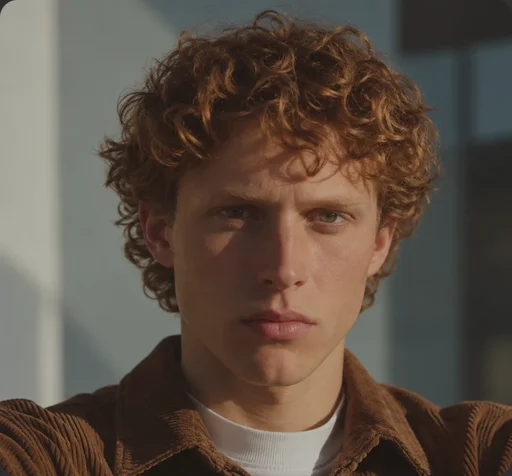 Image "0" · selfie
"biometric": {"0": {"1": 93}}93 ≥ 70 · same personiBeta PAD Level 3 compliant
ISO/IEC 30107-3 · Liveness
ISO/IEC 27001:2022
Information security management
ISO/IEC 27017:2015
Security for cloud services
A stolen, borrowed or irregularly acquired document passes document checks because it is authentic: the data matches and the format is correct. The question left unresolved is whether the face in the selfie belongs to its holder. When that comparison depends on a person reviewing two photographs, the process doesn't scale and leaves no auditable criterion.
The service compares the faces sent and returns their level of similarity on a scale of 0 to 100. The decision isn't automatic: the internal policy you set evaluates the score at which identity is confirmed. Nor does the service verify whether the selfie belongs to a person who is present; that validation is done by Antispoofing Facial, which can be requested in the same call.
Case 01
You already have another provider
There's no need to migrate your whole operation to add biometric comparison. You can consume only this API, in parallel with your current provider.
Case 02
You need to verify returning customers
During registration, your customer's facial biometric vector is stored. In each new interaction, their selfie is compared against that vector, without having to ask for the document again.
Case 03
You're building your own product
You need the face comparison component, not a full platform. You integrate it into your solution and keep control over the rest of the process.
You declare, image by image, what you want to analyze. If you declare no operation, the biometric comparison runs by default.
Measures the similarity between two faces with a score from 0 to 100. It's the default operation.
"biometric": {"0": {"1": 93}}The Antispoofing Facial result arrives nested in the same response, without a second request.
{
  "biometric": { … },
  "spoofing": { … }
}
Signals to determine whether the capture is suitable.
Yaw and pitch, in degrees.
Coordinates of both eyes.
Selfie against document
You send both images and get the similarity score between them. The document photo can come from ID Analysis, which delivers it already cropped.
Selfie against a stored vector
You request the face's biometric vector, store it and use it in future comparisons, without needing to keep the photo. Also record the methodology you generated it with, since the score's scale varies by methodology.
Capture quality
If you request attributes and pose in the same call, the response includes a quality verdict: high, medium or low. If the result is low, request a new capture before trusting the score.
Integration
It does not replace Identity Link when you need a full verification. You can use it on its own or combine it with other VU cloud services.
No SDK and no dependencies. Call the API from your backend: The key is never exposed in a mobile app or the browser.
| Element | How it works |
|---|---|
| GET /version | Checks connectivity. The status code is evaluated, not the response body |
| POST /inference | Runs the requested operations on the images you send |
| Authentication | Api-Key header. Each service has its own key, per environment |
| Base URL | VU provides it along with the key, depending on the environment |
| Input | info as a business reference, images in base64 and operations, one list per image |
| Output | id, code, message and biometric (similarity matrix from 0 to 100). The other fields depend on the operations you request |
// Header: Api-Key: <your service key>
{
"info": "onboarding-12345",
"images": ["<selfie in base64>", "<face from the document>"],
"operations": [["biometric"], ["biometric"]]
}"biometric": {"0": {"1": 93}}93 is greater than or equal to 70. It's the same person: you confirm."biometric": {"0": {"1": 19}}Below the threshold. You don't confirm.if (status === 200 && body.biometric?.["0"]?.["1"] >= 70) {
samePerson();
} else {
notConfirmed();
}Don't confirm by elimination
There is no error code that indicates "not the same person": when the faces don't match, the response arrives with code 200 and a low score. If your logic approves everything that isn't an explicit rejection, any unexpected response will end up turned into an approval.
The threshold of 70 applies to the default methodology. If you choose another, the score's scale changes and you'll need to calibrate your own threshold.
| Aspect | Value |
|---|---|
| Recommended resolution | 360 × 360 or more* |
| Face | Only one per image, facing forward and with eyes visible |
| Format | JPEG or PNG. If JPEG, quality 90 or higher |
| Encoding | base64 with no data: prefix and no line breaks |
*The minimum accepted resolution is 160 × 160. Below that, the API returns an error.
With a paid plan, you generate the key from VU's panel and call the service from your backend.
You confirm accesswith the method the panel offers you
You open Cloud Servicesin the side menu
You choose Face Analysisamong the available services
You generate the API keywith a paid plan, for the environment you're going to use
You copy the key and call GET /versionto confirm connectivity
To generate your API Key, you need a paid VU plan.
Generate your key and compare a pair you already know.
To generate your API Key, you need a paid VU plan.


